
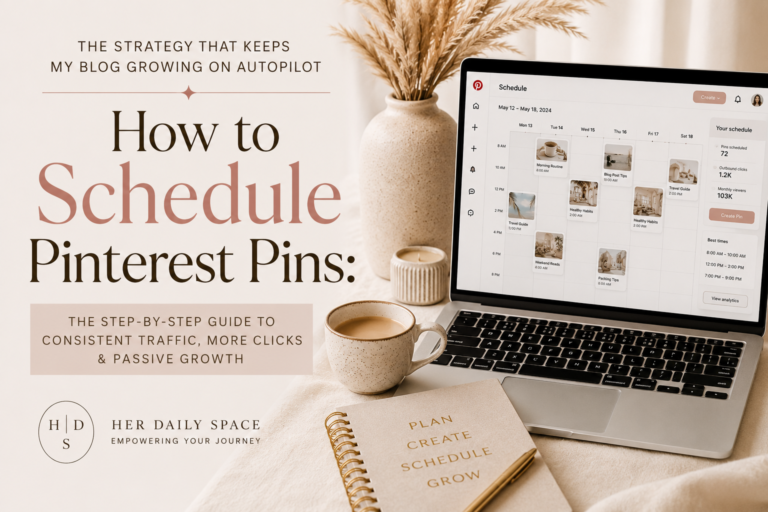
How to Schedule Pinterest Pins
This post contains affiliate links. If you click through and make a purchase or booking, I may earn a small commission at no extra cost to you. The price you pay is exactly the same either way. I only recommend products and experiences I would use myself.
There was a season in my blogging journey when Pinterest was working beautifully and then completely stopped.
What's In This Post
ToggleNot because the platform changed. Not because my niche suddenly became less relevant. Because I stopped showing up consistently. A difficult month personally meant the pinning schedule slipped. Then the following month was busy and I kept telling myself I would get back to it when things settled. By the time I logged back into Pinterest Analytics three months later the momentum I had spent six months building had eroded significantly.
That experience taught me something I now consider non-negotiable about Pinterest as a traffic and income tool. Consistency is not just a best practice. It is the mechanism by which Pinterest works. The algorithm distributes content from accounts that are consistently active. An account that pins in bursts and then goes quiet loses the distribution momentum that consistent accounts maintain indefinitely.
The solution is not more time on Pinterest. It is a scheduling system that keeps your Pinterest presence consistently active whether you are working, traveling, healing, or simply having a season of life that does not have space for daily manual pinning.
This guide is the complete Pinterest scheduling strategy I use to keep my blogs growing on autopilot.
Read related post: How I Built a Pinterest Management Business and Why Pinterest SEO Still Matters in 2026
Why Consistency Is the Most Important Pinterest Strategy
Before the tools and the tactics it is worth understanding why consistency specifically matters for Pinterest in a way it does not matter quite the same way for other platforms.
Pinterest’s Smart Feed algorithm, which determines what content appears on a user’s home feed, distributes content from accounts that have demonstrated consistent recent activity alongside content that is relevant to the user’s search and save history. An account that has been consistently active in the past thirty days receives preferential Smart Feed distribution compared to an account that was active six months ago and has been quiet since.
Search distribution is less directly affected by recent activity than Smart Feed distribution because it is primarily driven by keyword relevance. But the engagement signals that support strong search rankings, saves and outbound clicks, accumulate faster for accounts whose content is being consistently distributed through the Smart Feed.
The practical result is this. A consistently active account builds distribution momentum that compounds over time. An inconsistently active account loses that momentum during quiet periods and has to rebuild it when activity resumes. The compounding is what produces the traffic growth that makes Pinterest a meaningful income driver. Interrupting the compounding resets the growth trajectory in a way that requires real time to recover.
Scheduling removes the human inconsistency from the equation. You batch create content when you have the time and energy for it. The scheduler distributes it at optimal times regardless of what is happening in your life on any given day. The consistency is maintained. The compounding continues.
Read related post: How to Use Pinterest to Grow Your Blog and Make Money
How Much Should You Pin Per Day
This is the question I see debated most in blogging communities and the honest answer is that the specific number matters less than the consistency of whatever number you choose.
Pinterest’s own guidance has evolved on this over the years. The current recommendation from Pinterest leans toward quality over volume, suggesting that fewer, higher-quality fresh pins consistently published outperform large volumes of lower-quality or repetitive content.
The practical range that works for most bloggers is between three and fifteen pins per day. Where within that range you should be depends on how much content you have to promote, how many pin variations you create per piece of content, and how many boards you maintain.
For a blogger with an established content archive and multiple pin variations per post, ten to fifteen pins per day is a sustainable and growth-producing volume. For someone in the early months of building both their content and their pin library, three to five pins per day is a perfectly viable starting point that can scale as the content base grows.
The most important principle is this. Choose a daily volume you can sustain consistently rather than a volume that represents an aspirational best-case scenario. Three pins per day every day for six months produces better results than fifteen pins per day for two weeks and nothing for the following six weeks.
Read related post: How to Use Pinterest SEO to Get Your Pins Seen by Thousands of People
Pinterest's Native Scheduler
Pinterest provides a built-in scheduling tool that allows you to schedule pins up to two weeks in advance at no cost. It is the starting point I recommend for anyone who has not yet used a scheduling tool for Pinterest.
How to access it:
When you are publishing a pin in Pinterest, after you have uploaded your image, added your title, written your description, chosen your destination URL, and selected your board, you will see a Publish at a later date option. Click this and a calendar and time selector appears allowing you to choose the exact date and time the pin will publish.
The limitations of the native scheduler:
The two-week scheduling window is the primary limitation. For bloggers who batch-create content monthly or quarterly, the native scheduler requires regular returns to the scheduling tool to refill the queue, which partially defeats the purpose of having a scheduler. You cannot schedule more than three weeks ahead which means a batch creation session does not translate to a fully automated month of distribution.
It also lacks the analytics integration and the queue management features that paid scheduling tools provide, which makes it harder to see at a glance what is scheduled, when, and what gaps exist in your scheduling calendar.
For a blogger in the early stages of building a Pinterest presence and looking for a zero-cost starting point the native scheduler is entirely adequate. Once your content volume and your Pinterest strategy mature past the beginner stage the limitations become constraining enough to justify the investment in a dedicated tool.
Read related post: How I Plan One Month of Blog Content in a Single Afternoon
Tailwind: The Scheduler I Use and Why
Tailwind is the scheduling tool I use for my Pinterest content and has been for several years. I want to explain what it does specifically rather than giving a generic endorsement.
SmartSchedule: Tailwind analyses when your specific audience is most active on Pinterest and automatically schedules your pins to go out at those optimal times. Rather than guessing which times produce the most engagement you let Tailwind’s data determine the schedule. This is the feature that produces the most immediate improvement for most accounts switching from manual pinning or native scheduling to Tailwind.
The Tailwind Queue: The queue is a pre-set schedule of time slots that Tailwind will fill with pins as you add them. You add pins to the queue and they automatically slot into the next available optimal time. This means you can spend an hour batch-adding pins to the queue and that hour of work produces weeks of consistently distributed content.
Tailwind Communities (formerly Tribes): Communities are groups of Pinterest creators in similar niches who share each other’s content. Adding your pin to a relevant Community exposes it to other creators who may save it to their own boards, generating saves and distribution from accounts outside your own. This is a legitimate reach-expansion mechanism that functions within Pinterest’s guidelines.
SmartLoop: SmartLoop automatically re-queues your evergreen pins at set intervals, ensuring your best-performing and most relevant content continues to circulate without you manually resharing it. For pins about evergreen topics, what to pack for solo travel, how to make money blogging, nail colors for dark skin, SmartLoop maintains their circulation long after the initial publication date.
Analytics: Tailwind’s analytics go deeper than Pinterest’s native analytics in tracking pin performance over time and identifying which content types, which boards, and which posting times produce the strongest results for your specific account.
The cost: Tailwind has a limited free plan and paid plans starting at approximately nineteen dollars per month. For a blogger generating meaningful affiliate or product income from Pinterest, the traffic and income that Tailwind’s consistency-enabling features produce typically justifies the cost within the first few months.
My Pinterest Scheduling Workflow
I want to give you the specific workflow I actually use rather than a theoretical process because the specific version is more actionable.
One batch creation session per month. I set aside a dedicated block of time, usually a Sunday afternoon, to create all the pins I will schedule for the following month. During this session I work through my content calendar, identify which blog posts need new pin variations, create the pin designs in Canva, write the titles and descriptions for each, and add them to my Tailwind queue.
Creating multiple pin variations per post. For each blog post I create a minimum of three pin variations and typically five. Different images, different headline angles, different visual approaches to the same content. Each variation is a fresh pin that reaches a different segment of the audience searching for the topic and provides multiple algorithmic distribution opportunities from the same piece of content.
Filling the Tailwind queue for the full month. After the batch creation session the Tailwind queue has enough pins to maintain my target daily pinning volume for thirty days. The queue distributes them automatically at the times Tailwind’s SmartSchedule determines are optimal for my specific audience.
A weekly fifteen-minute check-in. Once per week I spend approximately fifteen minutes reviewing what is in the queue, checking whether any scheduling gaps exist, and reviewing the previous week’s analytics to see which pins performed strongest. If a specific pin is generating significantly more outbound clicks than others I create additional variations of it.
Seasonal content loaded in advance. Pinterest users plan ahead. Christmas content performs in October. Summer travel content performs in March. I load seasonal content into the Tailwind queue six to eight weeks before the relevant peak, giving Pinterest time to build up engagement signals on the pins before the highest-search-volume period arrives.
Read related post: How I Built a Location-Independent Business Through Blogging (And How You Can Too)
The Optimal Times to Pin on Pinterest
The question of when to pin is less important than the question of whether to pin consistently, but for accounts that have established a consistent routine the time optimisation provides an additional incremental improvement.
Pinterest’s most active periods globally are evenings and weekends in the time zones of your primary audience. If your audience is primarily in the United States, evenings between seven and ten PM EST and weekend mornings produce the strongest engagement signals. If your audience is globally distributed, which is common for travel and online income content, a spread across multiple time zones produces better overall reach than pinning exclusively in one timezone’s optimal window.
This is precisely why Tailwind’s SmartSchedule feature exists. Rather than researching timezone data and manually calculating optimal pinning times the SmartSchedule analyses your specific account’s engagement patterns and automatically determines the best times for your specific audience.
For manual scheduling without Tailwind, a simple approach that works across most audiences is scheduling pins at three daily time slots, a morning slot around eight AM in your primary audience timezone, an afternoon slot around two PM, and an evening slot around eight PM. This spread provides reasonable coverage without requiring detailed timezone analysis.
How to Structure Your Pinning Schedule
A well-structured pinning schedule considers three types of content.
Your own blog content should form the majority of your scheduled pins. The primary purpose of your Pinterest presence as a blogger is to drive traffic to your blog. The ratio I aim for is seventy to eighty percent of my pins linking to my own content.
Curated content from other creators fills the remaining twenty to thirty percent. Saving high-quality content from other creators in your niche to your boards signals to Pinterest that your boards are valuable curation resources rather than purely promotional channels. It also provides value to your followers who are interested in your niche broadly rather than only in your specific content.
New pin variations of your highest-performing posts. Rather than always prioritising new blog posts over existing ones the scheduling strategy should include regular rotation of new pin designs for your best-performing existing content. A blog post generating strong Pinterest traffic six months after publication generates even more traffic when new pin variations are added.
Common Pinterest Scheduling Mistakes
Scheduling the same pin to multiple boards simultaneously. Pinterest flags this as spam behaviour. Schedule the same pin to different boards with a gap of several days between each save rather than saving to multiple boards at the same time.
Setting and completely forgetting the schedule. A scheduling tool maintains consistency but does not replace the need for periodic review and optimisation. Check your analytics monthly at minimum to identify what is performing and what is not.
Only scheduling new content. A scheduling strategy that only promotes new content leaves your existing high-performing content underserved. Include regular new pin variations for your evergreen posts in the schedule alongside promotions for new content.
Scheduling at a volume you cannot maintain. Starting at fifteen pins per day and dropping to two pins per day three months later because the creation burden became unsustainable disrupts the consistency that makes scheduling valuable. Start at a sustainable volume and increase it as your content library and your creation workflow mature.
Ignoring the quality of what goes in the queue. A scheduler distributes whatever you give it at whatever frequency you set. It does not evaluate whether the pins are well-designed, keyword-optimised, or likely to convert. Consistently scheduling low-quality pins consistently distributes low-quality content to your audience and to the algorithm. The quality decisions happen in the creation phase. The scheduler simply executes the distribution.
Building a Pin Library That Sustains Your Schedule
A sustainable scheduling strategy requires a consistent supply of new pin content to feed the queue. Building that supply becomes easier as your content base grows and as you develop a systematic approach to creating variations.
For every piece of content you publish on your blog you should be creating a minimum of three pin designs immediately. These three designs go into the queue immediately on publication day. Additional variations are created over the following weeks and added to the queue to extend the promotion period of each piece of content.
For your archive of existing posts, working backward systematically through your catalogue and creating new pin designs for your highest-traffic and most affiliate-revenue-generating posts builds a significant pin library that can sustain a consistent schedule for months from a single batch session.
The goal over time is a pin library large enough that your scheduling queue is never empty and new content is only a portion of what you are scheduling rather than the entire input.
What My Pinning Schedule Actually Looks Like
I want to be specific because the specific version is more useful than the framework.
Monday through Friday I have ten pins scheduled through Tailwind at the optimal times the SmartSchedule has determined for my audience. Of those ten pins, seven or eight link to my own blog content across the full range of HerDailySpace topics. Travel content, income building content, healing and self-care content, nail and beauty content. Two or three pins save high-quality content from other creators in my niche.
Saturday and Sunday I drop to five pins per day. Weekend scheduling is slightly lighter because the balance between engagement and algorithmic signals suggests that quality over volume is particularly important on weekends for my specific audience.
My Tailwind queue is kept at a minimum of three weeks of content at all times. When the queue drops below three weeks I schedule a batch creation session before it goes lower.
Monthly I review the analytics from the previous thirty days. I look at which pins generated the most outbound clicks. I create three to five new variations of the top performing pins within the following week. I check which boards are performing most strongly and ensure they are being well represented in the upcoming schedule.
This system keeps my Pinterest presence consistently active across the full range of content on my blogs without requiring daily manual attention. The consistency enables the compounding. The compounding produces the traffic. The traffic generates the income.
Faq
Do you need a paid scheduling tool for Pinterest?
No. Pinterest’s native scheduler is free and allows scheduling up to two weeks ahead. For bloggers in the early stages of building a Pinterest presence and working with a smaller content volume the native scheduler is entirely adequate. Paid tools like Tailwind become worthwhile when the content volume, the need for longer scheduling windows, and the value of features like SmartSchedule and SmartLoop justify the monthly cost.
How far in advance can you schedule Pinterest pins?
With Pinterest’s native scheduler up to two weeks in advance. With Tailwind the queue can hold as much content as you add to it without a forward time limit, which is one of the primary advantages of the paid tool for bloggers who batch create content monthly or quarterly.
Does scheduling pins hurt your Pinterest reach?
No. Pinterest explicitly supports the use of approved scheduling tools and the scheduling of pins does not negatively affect their distribution. The consistency that scheduling enables actively improves reach compared to manual pinning that is subject to human inconsistency. Pinterest’s partner tools like Tailwind are officially approved by Pinterest for this reason.
How do you maintain a Pinterest schedule when life gets busy?
Batch creation and a scheduling tool. The combination means that a single focused session of content creation translates to weeks of consistent distribution without requiring daily attention. The goal is to always have at least three weeks of content scheduled in advance so that a busy period does not immediately interrupt the consistency of your Pinterest presence.